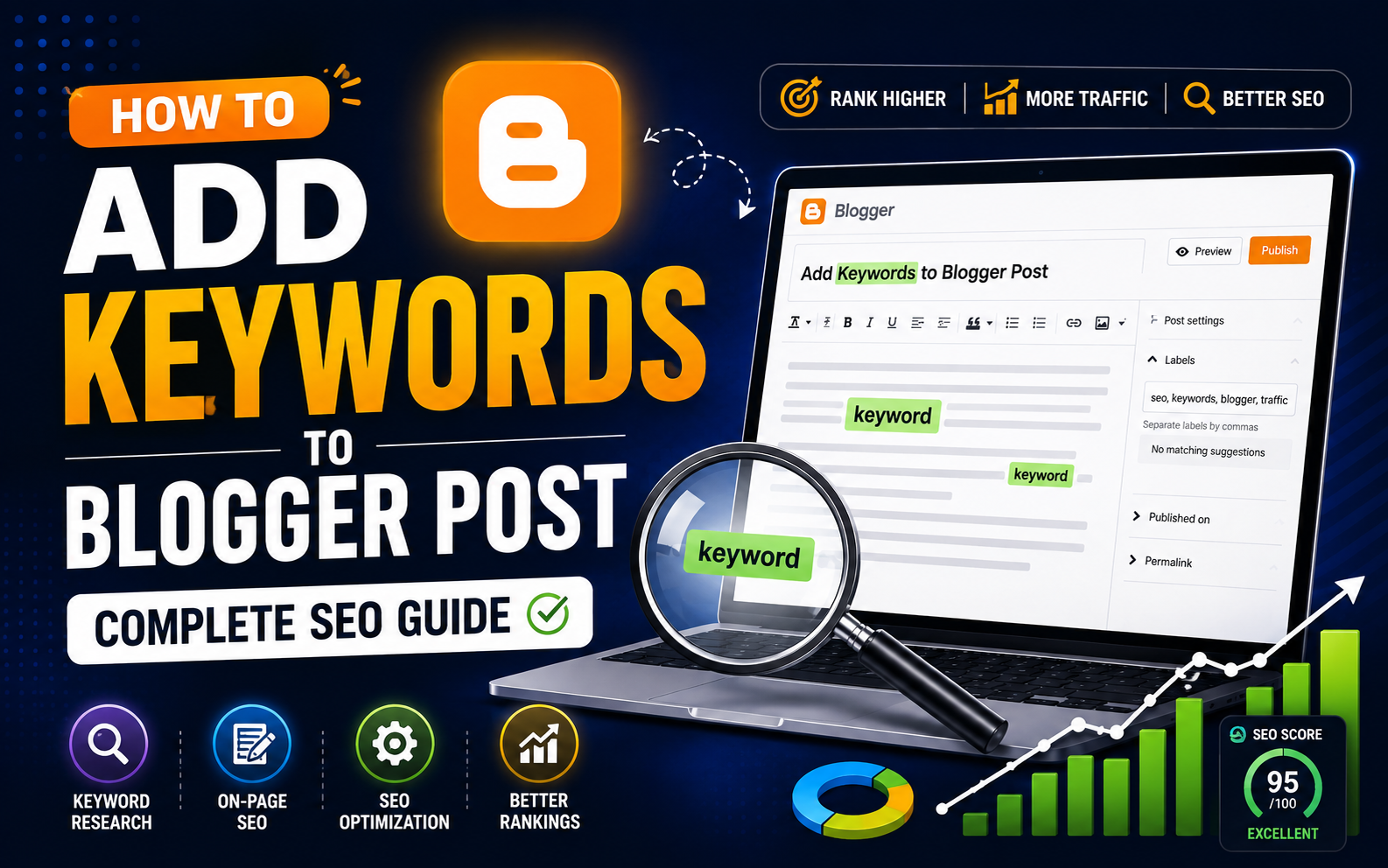
How To Add keywords To Blogger Post(Complete SEO Guide)
The most straightforward answer on How To Add keywords To Blogger Post is to include keywords in the content of a blog post, put your keyword of choice in the title of the post as well as in the very first sentence of the body text with at least two subheadings.
The custom URL as well as in the Search Description field, and the alt text of at the very least one image. These are the exact locations Google examines the most carefully when deciding where and how to rank your blog post.
Many bloggers write fantastic content, only to wonder what makes it so difficult to find. The solution is usually keyword placement, specifically, placing the appropriate words in the appropriate places so that Google knows what your blog post is about. This guide will take you through every spot in Blogger that has keywords to, starting with your post’s title to the alt text of your image and includes exact instructions for each.
if you are new to blogger you can read my complete guide on how to create a blog on blogger
Comparison Table: Keyword Placement Locations in Blogger
| Location | SEO Impact | How to Access in Blogger | Notes |
| Post Title | Very High | Post title field is located at the top of editor | It is converted to H1 tag automatically |
| URL / Permalink | High | Permalink option on the right sidebar | Editing before publication is only necessary. |
| The first 100 body language words | High | Editor of the Post Body | Include a keyword naturally in the opening paragraph |
| H2/H3 Subheadings | High | Toolbar for formatting > Headings/Subheadings | Include the keyword in at least one H2 |
| Search Description | High | Left sidebar > Search Description | 140-155 characters. Enable the setting first. |
| Image Alt Text | Medium | Image Properties dialog | Descriptive, not only keywords |
| Body Content (general) | Medium | Editor of the Post Body | Aim for 1-2% keyword density |
| Post Labels | Low-Medium | Left sidebar > Labels | Indirectly through indexing archive pages |
| Internal Link Anchor Text | Medium | Hyperlink text is in the body of the post | Use anchor text that is keyword-rich when it is natural |
It’s not about tricking search engines. It’s about clearly expressing your subject so that Google can find your article and match it to the appropriate target audience.
What Are Keywords and Why Do They Matter for Blogger Posts?
Keywords are words and phrases that people input into Google when searching for something. If your Blogger blog post includes those words in the appropriate locations, Google recognizes the match and considers your post to be a relevant result.
Consider keywords as signals. Your blog post transmits signals to Google via headings, titles URLs, descriptions of images, URLs as well as body text. The more precise and consistent your signals are, the better your chance of being featured in the results of a search.
Blogger comes with a modest but important set of SEO controls on the page. They’re not as advanced like WordPress using Yoast SEO however, they’re enough to make them competitive, particularly when it comes to long-tail keywords or topics that have moderate competition.
How Google interprets keywords from Your Blogger Content
Googlebot, Google’s automated crawler, browses your Blogger blog and reads the original HTML code that lies beneath the visual surface. It is particularly attentive to particular HTML elements like the title tag and heading tags (H1 to H3) and Meta description URL, alt attributes for images and the first couple of hundreds of words in body text.
Because Blogger is owned by Google and is indexed by Google, your content will be found to be indexed fairly quickly, often within a matter of hours after posting. This means that your keywords are picked up quickly and this makes having them in place at the beginning more crucial and not less important.
The HTML structure Blogger creates is clear and easily read by Googlebot. Your task is to fill the structure with relevant keywords at every possible location that’s exactly what this article focuses on.
The Difference Between Keywords, Labels, and Tags in Blogger
Many users of Blogger confuse the post label with keywords. They’re not the identical. types of Keywords in seo are words that you carefully place in your content, titles, URLs and a description. Labels are part of Blogger’s category system. While they are able to create indexable archive pages but they are not used like meta-keywords in the conventional SEO sense.
Labels are helpful for organizing your blog as well as for creating topic clusters, however they shouldn’t be used as a substitute for search engine optimization in your content. Labels can be used to organize your content. Make sure you have keywords strategically placed to improve search effectiveness.
Blogger doesn’t include a separate “meta keyword” field like the old blogging platforms had. This is fine since Google removed meta keywords tags for ranking factors in 2009. It is not necessary to include a meta keyword tag to be ranked in Google.
Step 1 — Find the Right Keywords Before You Write
Optimizing your keywords starts before you launch the editor in Blogger. If you select the incorrect keyword -one that is in-demand or one that nobody does a search for — no amount of clever placement can help.

Using Google Keyword Planner for Free Keyword Research
Google Keyword Planner is a free tool within Google Ads that shows you the frequency at which specific words are searched for each month, and the level of competition they have. It is not necessary to have ads running to benefit from it. Sign up for a no-cost Google Ads account, then go to Keyword Planner > Tools.
Select a subject that is related to your article The tool will display the monthly volume of searches and levels of competition. For blogs that are new to Blogger be sure to focus on keywords that are marked “Low” competition that have at most several hundred monthly searches. These are achievable goals for blogs that do not have an established authority in the domain.
Do not overlook your suggestions in the column. Keyword Planner often suggests long-tail variants that you wouldn’t think of, and these more detailed, long terms are generally easier to rank than terms that are broad and short.
How to Find Low-Competition Keywords for a New Blogger Blog
Being a brand new blogger using phrases such as “how you can lose fat” or “best places to travel” isn’t realistic. You’re competing with sites that have thousands of backlinks. The best strategy is to target long-tail keywords which are phrases that consist of 4 or more keywords that are unique as well as conversational. They are also less in terms of competition.
For instance, instead choosing to target “travel tips,”” you should instead focus on “travel tips for solo travelers older than 40.” Instead of “recipe ideas,”” you should focus on “easy meals for a weeknight meal using canned beans.” These words have a less search volume, however they are more intention alignment, and have much less competition.
Tools such as Ubersuggest (free version available) Google’s autocomplete as well as other tools like the “People Are Also Asking” along with the “Related Searches” sections at the lower part of Google results pages are excellent sources of low-competition keywords for free.

Understanding Search Intent Before Choosing Your Keyword
The intent of search is the primary reason for a search query. When someone type “how to include keywords in a blogger posts” would like step-by-step instructions which is an informational intention. A person typing “best blogger design to use for SEO” is more likely to be an investment decision it’s commercial intention.
The content of your post must reflect the intention behind the keyword you are targeting. If you create a “product pitch” style article for a particular search term with an informational purpose, Google will recognize the gap and rank your page poor. Always ask yourself what the person typing the How To Add keywords To Blogger Post seeking to achieve and can my article provide exactly what they want?
Informational vs. Transactional Keywords — Which to Use on Blogger
Keywords that are informational (“how to,”” “what are,”” “guide for”) can be the ideal place for the majority of Blogger posts, since they provide informative, informative information. Keywords for transactions (“buy,” “best price,” “discount”) are best suited to pages for products that Blogger isn’t suitable for structurally. In the event that your website is being monetized by affiliate links or advertising and specific keywords that lead to buying-intent decisions are the best choice -you should think “best camera for beginners at a budget” instead of “buy an Canon camera.”
Step 2 — Add Keywords to Your Blogger Post Title
Your title for your blog post is the most crucial area for your targeted keyword. Google gives a significant weight to the title when it comes to determining relevancy as well as the first thing that a human user sees when they search. When you are able to do this correctly, you’ll be ahead of the majority of Blogger blog posts.
Where Exactly to Place the Keyword in Your Post Title
Include your primary keyword at the very starting point of your title you can. Titles are read from left to center and both Google as well as human readers assign more weight to keywords that are first mentioned. “How to add Keywords to the content of a Blogger Post” will be better in comparison to “A Complete Guide to Blogger Post and the Best Ways to Add Keywords.”
If a title that includes the keyword appears unnatural, it’s acceptable to place it in the first paragraph in the name. The key is that you should be in proximity, not perfect — but don’t put your keyword in the end of your long title.
Your title should be between 50 to 60 characters in total. Google usually reduces titles to less than the ones in results. This means that the phrase you’ve worked so long to include may not even be seen by people searching for it.
How Blogger’s Post Title Becomes the H1 Tag
In Blogger, the information you type into the title field will automatically be your H1 heading tags within the HTML of your post. This is since H1 is the most important heading tag in SEO. It is the primary signal to tell Google the primary subject matter of your site.
It is recommended to only have one H1 per post and, in Blogger, there is no have to manually add one. The title of your post is the one that handles it. That means that you shouldn’t include a second H1 in your body of your post within the HTML editor. Having the two H1 tags on the same page can weaken your keyword signals.
Writing a Keyword-Rich Title That Still Sounds Natural
There’s a proper balance between optimization for keywords and accessibility. The title with a lot of words (“Blogger post Keywords SEO Add Keywords 2024 Guide”) appears to be a spammer to both Google as well as real readers. A title that is written solely for human readers (“My Thoughts on Getting More Blog Traffic”) does not consider the search signals completely.
The objective is to have an article title that reads naturally and contains your specific keyword, or an equivalent. “How to add Keywords to the title of a Blogger Post” accomplishes this by using the exact phrase that someone will look up, and it reads similar to a standard, useful title for an article.
How to read blogs on Blogger
Step 3 – Add Keywords to the Post Permalink (URL Slug)
Your URL for your blog post is another powerful signal to search engines. In default, Blogger generates URLs based on your post’s title. This is useful, however the auto-generated version may include unneeded words like “how,” “to,” “a,” and “the” that can add length but do not add SEO value.
How to Edit the Custom Permalink in Blogger Before Publishing
In the editor for Blogger posts take a look at the right sidebar. Select “Permalink” in order to open the area. Choose “Custom URL” and then type a clean and keyword-focused URL. For a post titled “How to Add Keywords to a Blogger Post,” a clean permalink would be something like add-keywords-blogger-post or keyword-placement-blogger.
Make use of hyphens between words but not underscores. Google treats hyphens as word separators, but underscores join words together, which means “add_keywords_blogger” reads as one long string rather than three separate words.
Make changes to the URL prior to publish. After a post has been live and is indexed, changing the URL causes an issue with the link which could hurt your ranking unless you create redirects — something that Blogger’s redirecting system doesn’t facilitate.
Why a Keyword in Your URL Matters for Google Rankings
URL keywords are a definite ranking factor, but they are a small one. Additionally an optimized keyword URL increases click-through rates in results from searches. People will be much more likely to choose on a URL with the keywords they’ve just typed into their search as it demonstrates the relevance of your website to the query they are searching for.
Your URL is also shared, linked and referred to. A keyword-rich URL conveys the subject matter of your post to other websites and users before they have even go through a single word of your article.
Step 4 — Use Keywords in Your Post Body Content
In the body of your article is where the majority of your keyword-related work takes place. The natural clear keyword integration provides the volume and the context Google requires to rank your blog post.
Where to Place Keywords in the First 100 Words
Google gives more weightage to the first 100 – 150 words in your article. This section is considered a brief summary of your post’s content — an assurance that your content is actually what the title and URL stated in the title. Include your main keyword in this opening paragraph.
Don’t try to force it. If your subject is “How To Add keywords To Blogger Post,” you might open by saying: “Adding keywords to a Blogger blog post in the proper locations is among the most basic ways to get the organic search results from Google.” The keyword is there but the sentence is written naturally and provides the reader with the motivation to keep reading.
Keyword Density — How Many Times to Use Your Keyword
Keyword density relates to the frequency that your targeted keyword is mentioned in relation to the total words. The standard rule of thumb is between 1 and 2 percent which means that for a post of 1,000 words the primary keyword should be mentioned 10-15 times. If you write a post of 2,500 words it is 25 to 50 mentions.
In practice, do not count. Write naturally and afterwards, read your article loudly. If a sentence sounded as if you’re repeating a word to make a point of it, then rewrite that sentence. When you’ve finished your post and realize that you’ve used your keyword five time in just 2,000 words. Work on a few additional natural mentions.
The most significant risk for Blogger writers isn’t too few keywords, they’re too numerous. Keyword stuffing appears as unprofessional to Google as well as real readers as well as Google could penalize websites that use keywords in a way that is clearly manipulative.
Using Semantic Keywords and LSI Terms Throughout the Post
Modern Google doesn’t just analyze exact keyword matches. It looks for significance, context, and the depth of the topic. Semantic keywords — such as related words, synonyms, as well as other terms that support it — assist Google recognize that your article is a genuine expert in the subject and not just a surface-level overview.
In a blog post on the addition of keywords to Blogger, semantic keywords could be: on-page SEO Meta description, Post Labels organic traffic, search visibility heading tags, alt text. There is no need to add them in, they’ll be natural when you write in depth about your subject.
Imagine the kinds of questions an expert with a solid knowledge of the subject could be able to answer in an article about this subject. The answers will likely include the semantic keywords Google is searching for.
Utilizing H2 and H3 Headings that contain Keywords
Subheadings are among the least utilized keyword placement options for keyword placement in Blogger posts. Each headtag, H2 and H3 you include in your article is a relevant signal to Google Headings can also make your content much simpler to read making it easier for people to stay engaged for longer which is a positive engagement signal.
In the post editor of Blogger Format your subheadings with subheadings using the “Heading” as well as “Subheading” options available in the toolbar for formatting. These are linked the H2 tag to the H3 one,, respectively. Include your primary keyword at least one H2 and also include the related secondary keywords in different headings throughout your post.
Don’t turn every single heading into a keyword-stuffed sentence. “How to Include Keywords in the body of a Blogger post” is perfect for one heading, but each heading doesn’t need to have the whole keyword string. Change your language, answer questions, make use of action words and let some headings be descriptive and informative.
Step 5 — Add Keywords to the Blogger Search Description Field
Search Description Search Description is Blogger’s built-in meta description field. It’s one of the most crucial SEO settings you can make in your editor for posts, but the majority of users don’t even touch it.
How to Enable and Find the Search Description in Blogger
To make use of to use the Search Description field, you first have to enable it in your blog’s settings. Navigate to Settings > Meta tags > Search preferences and toggle off “Enable Search Description.” After enabling there will be a “Search Description” box will be displayed in the sidebar of each post editor.
Click it, and write a 140- 155-character summary of your article. It is the same thing that Google typically displays under the title of your post in its search results — it’s what makes the user to click on your link rather than other links that appear on your page.
Writing a Meta Description That Contains Your Keyword
The meta description of your post should contain the primary keyword you want to use, typically at least the beginning of 100 words and it should be read as an appealing, human-written summary instead of a list of keywords. Consider it an ad-hoc advertisement for your posting.
A properly written meta description of this post could read “Learn precisely how to include keywords in the content of your Blogger blog starting with the title and URL to the meta description and images along with step-bystep instructions for each location.”
Take note of what the description says include the keyword that is primary It clearly defines what readers will receive and it is written naturally. This combination results in higher click-through rates that Google uses as a second sign of quality.
Step 6 — Add Keywords to Image Alt Text in Blogger
Every image you use in the Blogger blog post is equipped with the alt-text attributean encapsulated description used by screen readers to aid accessibility, and which search engines use to provide an indication of keywords. The majority of users on Blogger don’t fill this in and miss the chance.
How to Add Alt Text to Images in Blogger’s Editor
If you are inserting an image in your Blogger blog, click the image after it is displayed inside the post editor. A toolbar appears just below or over the photo. Simply click”Properties” or click “Properties” option (it can also appear as an icon that has the horizontal line). The dialog will appear with a field labelled “Alt Text.”
Enter a description that contains the keyword you want to use naturally. For a picture of the editor in Blogger you could compose “Blogger post editor with Search Description field for SEO” instead of “screenshot” or none whatsoever.
Don’t put more than one keyword into each alt text of an image. Utilize the targeted keyword in the image with the highest importance (typically the one that is featured or the first image in the article) and write truly detailed alt-text for the rest. Alt text can also be an accessibility feature. The descriptions should be clear and helpful for those who is unable to see the image.
Step 7 – Use Keywords in Blogger Post Labels Strategically
Post labels are Blogger’s equivalent of tags or categories. They do not directly increase SEO rankings like on-page elements do, however they have a valuable indirect SEO purpose that is important to understand.
When you assign a label to a post, Blogger creates an archive page for that label — for example, yourblog.blogspot.com/search/label/SEO-tips. The archive page is indexable by Google and is able to be displayed in results for searches on its own. It also establishes topical groups which indicate subject authority.
Make sure your labels are general and constant. Use them as categories for content for example “SEO Tips,” “Blogger Tutorials,” “Content Writing” instead of trying to create each label with a specific keyword phrase. The use of 3 to 5 labels in a article is enough. The over-use of labels can cause your content to be fragmented into hundreds of pages of thin archives that are not productive.
Blogger SEO Settings You Should Configure Right Now
Beyond optimizing individual posts A few Blogger global settings impact how the keywords in the entire blog are seen by Google.
Domain that you have customized: If you’re still using an .blogspot.com URL, then all of SEO optimization for your keywords is tied to an unrelated domain of Google’s. Connecting to a custom domain (even an inexpensive one) will consolidate the SEO authority you have under your own name.
Set up search descriptions for your blog. Just like every post is given the search Description Your blog’s description is available in the Settings and Search Preferences. Create a 150-character description for your blog with the main keyword for your blog.
Custom robots.txt If you go to Settings > Preferences for Search, you are able to modify the settings for your robots.txt file. For the majority of Blogger users the default settings are fine but make sure that your pages on the blog are not blocked inadvertently from being indexed.
HTTPS enabled: Go to the Settings tab and click Basic in order to verify that HTTPS is turned on in your site. Google gives a slight rankings preference to secure websites which can affect trust among users.
Expert Tips and Best Practices for How To Add keywords To Blogger Post
Write for human beings first, then search engines. Google’s algorithms are remarkably proficient at identifying whether content is written by people rather than bots. Content that addresses questions clearly using natural language and is of true value will fare better than content that is keyword-stuffed, regardless of density measures.
Target one primary keyword for each post. The attempt to get ranked for 5 keywords in one post diluted each signal. Select one keyword that you want to rank for and optimize it to perfection and let relevant semantic keywords pop up naturally. If you are looking to focus on five keywords, you should write five blog posts.
Make sure to update old posts using keywords. Re-reading old blog posts and incorporating keywords in the proper order isn’t detrimental, it’s actually advantageous. Incorporate the keyword into the title, if not present, create the Search Description, add alt text to images, and then restructure the introduction paragraph to include your keyword in a natural way.
Utilize Google Search Console to find hidden keywords. Connect your blog with Google Search Console (free, through Google Search Console’s URL Inspection tool, or the integration with Blogger). Review for the “Performance” Report to determine the queries your blog posts are currently appearing for. You may find that your article appearing on the third or second page for a phrase you’ve barely focused on. Update the post to make it optimized for the keyword more specifically and you could climb to the top of the page.
Beware of keyword cannibalization. If you publish three articles on “Blogger SEO tips”,” Google does not know which one is the most relevant and might not rank any of them properly. Each blog post must be geared towards a specific keyword. Utilize labelling and an internal linking structures to construct a hierarchy of content that clearly identifies which blog post is the authoritative for each subject.
Internal links that have keywords-rich anchor text. If the link is from a page to another on your blog the anchor text that you use is a signal for keywords for the page you are linking to. instead of “click here to learn more,” write “read my complete guide to setting the SEO of Blogger.” The anchor text informs Google what the post is about.
Be patient. Blog posts that are new can require two to four weeks to rank even if you have perfect keyword optimization. Don’t change your keywords on the day following publication because you’re not yet on the first page. Allow Google the time it needs to index, crawl and analyze your contents in relation to the rest of your blog.
I hope you are now aware of How To Add keywords To Blogger Post step-by-step
Does Blogger have a built-in keyword tool?
No, Blogger does not include a built-in keyword research tool. The platform provides the fields where you place keywords (title, Search Description, permalink, labels), but you need to use external tools to discover which keywords to target. Google Keyword Planner, Ubersuggest, and Google’s own autocomplete are the most accessible free options for Blogger users.
Where is the Search Description field in Blogger?
The Search Description field appears in the right-hand sidebar of the Blogger post editor, but only after you enable it in your blog’s global settings. Go to Settings > Search preferences > Meta tags, and switch on “Enable search description.” After that, every post editor will show the Search Description option in the sidebar. Click it, expand the section, and type your meta description there.
Should I add meta keywords to my Blogger post HTML?
No. Google officially stopped reading the meta keywords tag as a ranking factor in 2009, and all major search engines now ignore it entirely. Adding a meta keywords tag to your Blogger post HTML is harmless but completely pointless. Spend that time writing a good Search Description instead, which Google does use.
How many keywords should I use in a 1,000-word Blogger post?
For a 1,000-word post, you should aim to use your primary keyword roughly 10 to 15 times, which represents a 1% to 1.5% density. More important than counting is natural distribution: include the keyword in the opening paragraph, in at least one subheading, several times throughout the body, and in your meta description. Beyond the primary keyword, include 8 to 12 semantically related terms naturally throughout the post.
Can I add keywords to an already-published Blogger post?
Yes, and you should. Updating an existing post with better keyword placement is a legitimate and effective SEO tactic. Add the keyword to the title if it is missing, rewrite the opening paragraph to include it, add a Search Description, update image alt texts, and restructure subheadings. Google will re-crawl the updated post and may improve its ranking. There is no penalty for editing and improving old content
How To Add keywords To Blogger Post
The post title is the single most important keyword location, followed closely by the Search Description (meta description), the URL permalink, and the first 100 words of body content. These four locations represent the highest-impact signals you can send to Google. If you only optimize in these four places and nowhere else, your post will be significantly better positioned than the average Blogger post.
Why is my Blogger post not showing up in Google even though I added keywords?
Several reasons are possible. First, Google may simply not have crawled your post yet — this can take anywhere from a few hours to a few weeks for new blogs. Second, your target keyword may be too competitive for your blog’s current authority level. Third, your content may not fully satisfy the search intent behind the keyword — meaning Google does not think your post is the best answer for that query. Use Google Search Console to check whether your post is indexed, and compare your content against the top-ranking pages for your keyword to identify gaps.
Do Blogger post labels count as keywords for SEO?
Not directly. Labels do not function as on-page keyword signals the way title tags or body content do. However, labels create archive index pages that Google can find and rank independently. Labels are also useful for building topical authority signals across your blog — if you have 20 posts all labeled “Blogger SEO,” that cluster suggests subject expertise to Google. Use labels for organization and topical clustering, not as a substitute for in-post keyword optimization.
How can include keywords in images Alt text on Blogger?
Click on an image in the editor for your Blogger post. A small toolbar will be displayed near the image. Click on the icon that represents the image’s properties (it appears like a tiny pencil or grid). The dialog will pop up and you’ll see the “Alt the text” entry field. Write a descriptive sentence that naturally incorporates the keyword, for instance, “blogger post editor search description field keyword positioning.” Then click OK. Your alt text will be saved. Repeat this process for each significant image that you have in your blog post.
How can I create a great SEO title for my blog post?
Start with your keyword of choice and place it as high within the name as is possible. Make sure the title is between 50 and 60 characters in order to prevent truncation on search results. Create a title that is explicit, precise and clear about the information the blog post will provide. Avoid using clickbait phrases that over-promise. A formula that works for informative posts is: [Keyword+ [Qualifier] (or Format or Benefit)such as, “Blogger Post SEO: An Complete Step-by-Step Guide to Optimization.”
Is keyword stuffing a problem? how can I prevent this in blogger?
Keyword stuffing is the act of intentionally over-repetitioning keywords in order to alter results in search engines. A good example is: “If you want to include keywords in your blogger post, you should include keywords to your blogger post at every stage and also add keywords to the posts as often as you can.” Google is adamant about this, and readers immediately see it as poor writing. Be sure to avoid it by writing in a conversational style by using synonyms and similar phrases naturally, and then reading your blog aloud. If it sounds repetitive or robotic, revise the sentences.
What should I do? exact phrase or other variations?
Make sure to include your primary keyword in the top-priority areas (title URL, title, first paragraph the first paragraph, and the Description, and Search Description) and make use of natural variations and similar phrases throughout the the content. Modern Google does a great job at synonym matching which is why “keyword positioning in Blogger,”” “where to insert keywords to Blogger” and “Blogger SEO optimization for posts” all contribute to the same relevance to your topic. Writing naturally stops that the words from sounding pressured which increases reader satisfaction.
How can editing the permalink aid in the use of keywords in Blogger?
The permalink of your post is the URL It is the URL of your post, and Google interprets it as the keyword signal. A URL like yourblog.com/how-to-add-keywords-blogger-post is significantly more informative to Google than the auto-generated default like yourblog.com/2024/08/post-title-goes-here-and-gets-messy. A clear, keyword-rich URL will also boost click-throughs from search results because people can see the importance immediately. Always make sure you edit your URL prior to publishing by using the option for customizing your permalink in the sidebar of Blogger’s post editor.
How can I utilize Google Search Console to improve my Blogger search engine optimization?
Connect your Blogger blog to Google Search Console by going to search.google.com/search-console, adding your property (your blog URL), and verifying ownership (Blogger has an HTML tag option that makes this straightforward). Once you have verified your blog, head to the report on Performance. You’ll see the searches your blog is displaying for, how often a blog post is featured (impressions) as well as the frequency of clicks (clicks). Find posts that have high number of impressions, but low clicksThese need more appealing title and descriptions for meta. Find pages that rank on the top two or three pages and make them targeted search engine optimization.
How many labelings for posts should I apply to each blog post?
A minimum of three to five labels for each post is a ideal range. Each label is an archives page which Google will index, which means using too many labels will fragment your content into many thin pages that have little significance. In contrast, using just two or three labels doesn’t provide the benefits of organization. Pick labels that reflect broad categories of topics that you frequently write about. You can also use the same label across posts that are related to each other to form significant topics clusters.
Do the order of keywords in my Blogger blog post title have any bearing?
The order of words in your title can be crucial. First few phrases in titles are considered more significant in the eyes of Google than words towards the end. The first words are the first ones that people look up in search results. Making sure you include your most important keyword as soon as is possible in the title — usually as the initial word, phrase or termis the most effective optimization you could make. “Keyword” at the top position in a title is more effective than “keyword” in position 8 in terms of the strength of search signals and human click-through rates.